
Welcome to your Online Course
Everything you need to know to successfully complete your course.
Before You Begin
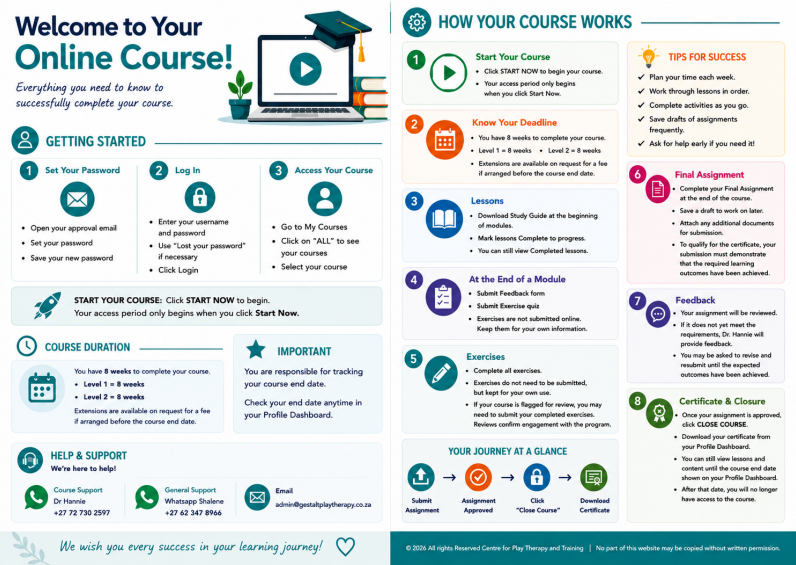
How your course works
Download “Welcome to your Online Course”:
An A4 printable PDF document welcoming you to your Online Course and explaining how your course works.
The full document will open in Google Drive. From there you can download and/or print it.
First-time Login
• Open your approval email
• Set your password
• Save your new password
Login
• Enter your username and password
• Use "Lost your password" if necessary
• Click Login
Profile Dashboard
• Go to My Courses
• Click on "ALL" to see new courses
• Select your course
How Your Course Works
Step 1: Start your Course
- Click START NOW to begin you course.
- Your access period only begins when you click Start Now.
Step 2: Know your Deadline
- You have 8 weeks to complete your course.
- Level 1 = 8 weeks.
- Level 2 = 8 weeks.
- Extensions are available on request for a fee if arranged before the course end date.
Step 3: Lessons
- Download Study Guide at the beginning of Modules.
- Mark lessons Complete to progress.
- You can still view Completed lessons.
Step 4: At the end of a Module
- Submit Feedback form
- Submit Exercise quiz
- Exercises are not submitted online. Keep them for your own information.
Step 5: Exercises
- Complete all exercises.
- Exercises do not need to be submitted, but kept for own use.
- Should your course be flagged for review, you may need to submit completed exercises.
- Reviews are as a result of the course presenter needing to confirm engagement with the program.
Step 6: Final Assignment
- Complete your Final Assignment at the end of the course.
- Save a draft of the Assignment to work on later.
- Attach any additional documents for submission.
- To qualify for the certificate, your submission must demonstrate that the required learning outcomes have been achieved.
Step 7: Feedback
- Successful completion will be based on meeting the requirements outlined in the assignment description.
- If your assignment does not yet meet these requirements, Dr. Hannie will provide feedback and may ask you to add or revise information until the expected outcomes have been achieved.
Step 8: Certificate and Closure
- Once your Assignment has been approved, you may click on CLOSE COURSE.
- Your Certificate can then be downloaded from your Profile.
- You will still be able to view the lessons and course content until the course finally closes on the end date which is recorded on the Profile Dashboard.
- At that point you will no longer have access to the course.